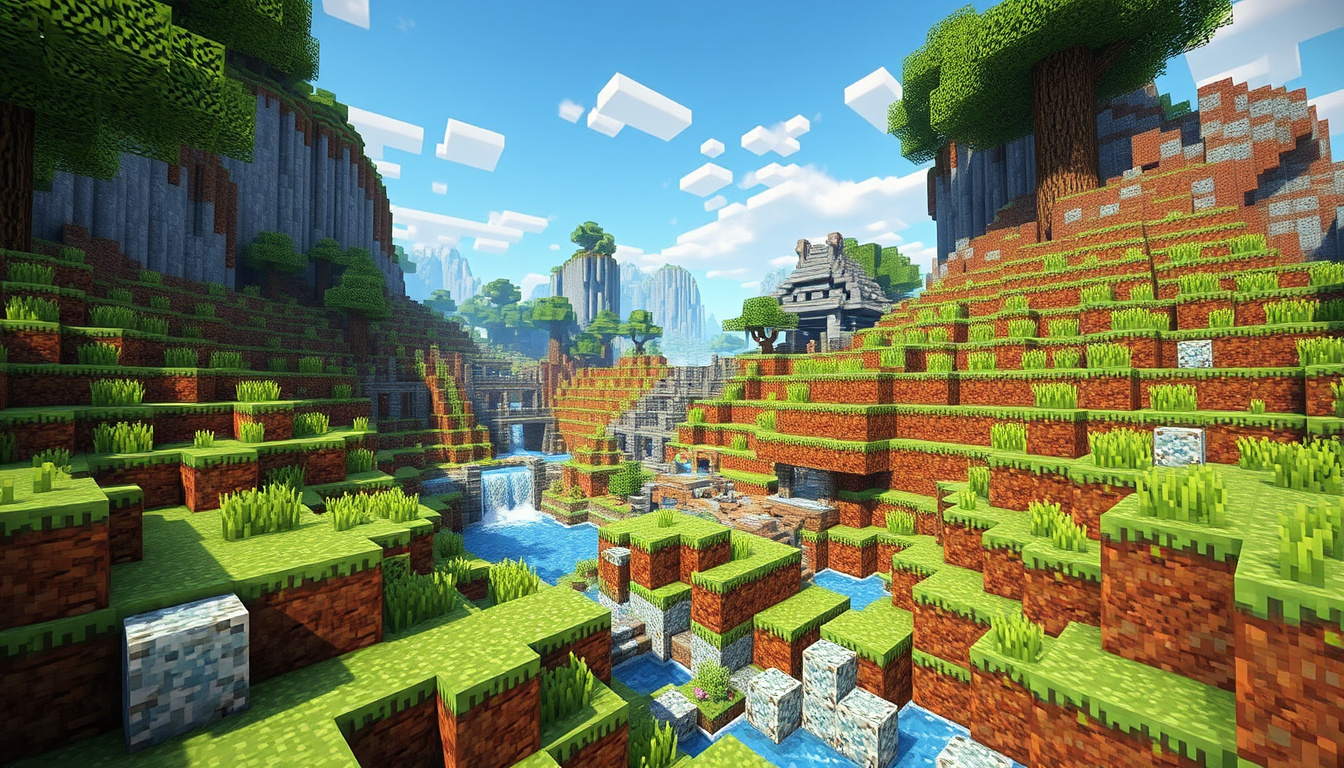

Texture packs turn a familiar Minecraft world into something that feels fresh, whether you’re after razor-sharp PvP clarity or a full cinematic overhaul. They work on both Java and Bedrock editions — the trick is finding packs that actually match your version and platform, and that’s where most guides fall short.
Top Platforms: CurseForge, Modrinth · Key Categories: Realistic, PvP, Bedrock · Supported Editions: Java, Bedrock · Version Focus: 1.21 · Download Sites: 5 major aggregators
Quick snapshot
- Texture packs are resource packs per official Minecraft documentation (Minecraft Wiki)
- CurseForge and Modrinth host the largest libraries of community packs (CurseForge)
- Java and Bedrock editions use different installation methods (Minecraft.net)
- Exact download counts for individual community packs are inconsistently reported (YouTube roundups)
- Performance impact varies significantly by hardware — no standardized benchmarks available (Community testing)
- CurseForge maintains active curation for Minecraft 1.21 releases (CurseForge)
- Modrinth updates its Minecraft version filters as new releases roll out (Modrinth)
- Community pack development continues alongside each Minecraft snapshot (Planet Minecraft)
- Bedrock Marketplace expands its exclusive creator catalog quarterly (Minecraft Marketplace)
The table below compares the five major sources for Minecraft texture packs across library size, filtering options, and primary use cases.
| Label | Value |
|---|---|
| Primary Sources | CurseForge, Modrinth, Minecraft.net |
| Editions Covered | Java Edition, Bedrock Edition |
| Key Features | Textures, models, audio changes |
| Popular Filters | Realistic, PvP, 1.21 |
Best Minecraft texture packs
A texture pack reshapes every visible surface in your world — blocks, items, mobs, and GUI elements. Minecraft’s official wiki confirms that these modifications are formally called resource packs, and they work by swapping the game’s default assets for custom alternatives (Minecraft Wiki). You can adjust textures only, or push further into models and sound depending on what the pack includes.
Top picks from CurseForge
CurseForge holds the largest selection of community-created texture packs, with downloads numbering in the millions for top entries. The platform sorts results by relevance by default, but you can shift to popularity or upload date to surface packs with proven track records. Each pack listing shows version compatibility, resolution options, and user ratings that reflect real-world performance.
- CurseForge dominates as the largest modding hub for Minecraft (CurseForge)
Modrinth highlights
Modrinth positions itself around speed and accuracy. Its search returns results faster than CurseForge, and version-filtering works cleanly without cluttering the interface. The platform has built a dedicated following among players who value quick iteration — especially when a new Minecraft snapshot drops and packs need fast compatibility checks.
- Modrinth provides instant search and accurate results (Modrinth)
Planet Minecraft favorites
Planet Minecraft goes beyond basic textures. The site lets creators bundle custom audio, model tweaks, and full resource pack configurations — all downloadable through community voting and ranking systems. It’s a stronger fit if you want more than surface-level changes, particularly for packs that touch Java Edition’s more flexible model formats.
- Planet Minecraft lets users customize textures, audio, and models (Planet Minecraft)
The implication: choosing a platform shapes what you find. CurseForge rewards those who dig through volume; Modrinth rewards those who value speed; Planet Minecraft rewards those who want depth beyond textures.
Realistic Minecraft texture packs
Realistic packs replace Minecraft’s iconic blockiness with detailed surfaces — think weathered wood grain, moss-covered stone, or glass that actually reflects light. These packs typically target higher resolutions (64x, 128x, or 512x) to justify the visual fidelity they’re going for.
High-resolution options
Resolution determines how many pixels represent each block face. A standard 16x pack uses 16 pixels per side; a 64x pack quadruples that density, and 512x pushes into wallpaper-territory where you can make out individual wood fibers. The tradeoff is performance — higher resolutions tax your GPU more, especially on larger worlds.
A 512x pack might look stunning on a screenshot, but if you’re running Minecraft on a laptop, expect frame rate dips in dense areas. Mid-range hardware typically handles 64x to 128x without issues.
Compatible versions
Not every realistic pack updates the moment Mojang ships a new Minecraft version. Check the pack’s version compatibility before downloading. CurseForge and Modrinth both display version tags on each listing — look for “1.21” or “1.20.x” depending on what you’re running.
“Start with 64x on mid-range hardware and upgrade only if your frame rate holds steady.” — Community testing consensus from PvP roundup videos
What this means: Realistic packs are a commitment — you pick your resolution once and live with it until you decide the performance trade is worth a change. Start conservative (32x or 64x) before jumping to 256x or beyond.
Minecraft texture packs PvP
PvP texture packs optimize for combat — clearer item outlines, distinguishable armor pieces, and reduced visual clutter so you can track opponents faster. Unlike realistic packs that prioritize aesthetics, PvP packs prioritize function, often using lower resolutions (16x or 32x) to keep frame times razor-sharp.
Low-fire designs
The term “low-fire” refers to packs that minimize particle effects and simplify block textures to reduce visual noise during fights. YouTuber roundups have surfaced recurring names in this space, with packs like Bare Bones and Demise 128x regularly appearing in top-10 PvP compilations for their clean, fast readability.
Clear visibility packs
Clear visibility means making swords, bows, and potions instantly recognizable at a glance. Some packs bold the outlines of equipped items; others recolor potion bubbles for quick identification during team fights. The best PvP packs are tested in actual Bedwars and Skywars matches by community creators who publish results publicly.
Most curated PvP pack lists originate from YouTube creators, not the platforms hosting the files themselves. This means rankings reflect creator judgment rather than download tallies — useful context when a pack you’ve never heard of tops a “best of” list.
“PvP pack quality lives in community testing. Follow creators who publish actual gameplay footage with the pack in action, not just thumbnails with bold titles.” — Analysis from multiple MCPE PvP texture pack roundups
Minecraft texture packs – Bedrock
Bedrock Edition runs on consoles, Windows 10/11, and mobile — and it handles texture packs differently than Java. Where Java lets you drop a .zip file into a folder, Bedrock requires packs to pass through the in-game marketplace or be sideloaded via specific directory routes depending on your platform.
Marketplace options
Minecraft’s official marketplace on Minecraft.net sells curated creator packs. These are verified for compatibility, but they’re paid content — typically ranging from $1.99 to $4.99 per pack. The benefit is seamless integration; the downside is cost if you’re building a large library.
Free Bedrock downloads
Community sites like CurseForge and Planet Minecraft support Bedrock-compatible packs, but installation varies by device. On Windows 11, you can enable developer mode and load .mcpack files directly. On consoles, the options are more restricted — console players primarily rely on marketplace purchases or official partner content.
Bedrock players have fewer free options than Java players, but CurseForge and Modrinth both maintain Bedrock-compatible catalogs. Before downloading, confirm the pack explicitly supports Bedrock — many community packs default to Java only.
The pattern: Bedrock accessibility depends on your device. PC players have the most freedom; console and mobile players are largely tied to the marketplace unless they enable developer sideloading.
Free Minecraft texture packs Java 1.21
Java Edition players enjoy the most flexibility for free texture packs. The process is straightforward: download a .zip file, place it in your resourcepacks folder, and activate it from the game menu. No marketplace middleman, no payment — just community generosity and open file formats.
1.21 compatible packs
CurseForge and Modrinth both tag packs by Minecraft version. Filter for “1.21” to surface only those tested against the latest release. ResourcePack.net adds resolution filters alongside version filters, letting you narrow to 16x, 32x, or 64x packs specifically.
- Free packs on ResourcePack.net include category and resolution filters (ResourcePack.net)
Installation for Java
Java Edition installation takes about 60 seconds once you’ve located your resourcepacks folder. From the main menu, click “Options,” then “Resource Packs,” then “Open resource pack folder.” Drop your downloaded .zip in there, return to the menu, and move the pack from “Available” to “Selected.”
What this means: Java Edition has the lowest barrier to entry for free texture packs. If you’re running Bedrock, budget time to set up sideloading or prioritize marketplace content.
Upsides
- Massive free libraries on CurseForge and Modrinth
- PvP packs improve competitive readability
- Realistic packs transform Minecraft’s visual identity
- Java and Bedrock both supported across major platforms
- No technical knowledge required for Java installation
Downsides
- High-resolution packs reduce performance on mid-range hardware
- Most PvP rankings come from YouTube curation rather than metrics
- Bedrock players face more restrictions on free downloads
- Not all community packs update promptly for new Minecraft versions
- Multiplayer servers may restrict custom pack usage
The comparison table below shows how each platform handles library size, version filtering, and primary use cases for texture pack discovery.
| Platform | Library Size | Version Filtering | Best For |
|---|---|---|---|
| CurseForge | Largest (millions of downloads for top packs) | Yes | Volume browsing, popularity discovery |
| Modrinth | Growing rapidly | Yes | Fast search, quick version updates |
| Minecraft Marketplace | Curated, limited | N/A (official content only) | Verified Bedrock content, seamless integration |
| ResourcePack.net | Substantial community library | Yes | Resolution filters, category browsing |
| Planet Minecraft | Moderate | Yes | Custom models, audio packs, community voting |
How to install Minecraft texture packs
Installation differs between editions, but both are straightforward once you know the steps.
Java Edition steps
- Download the texture pack .zip from your chosen platform
- Open Minecraft and navigate to Options → Resource Packs → Open resource pack folder
- Move the .zip file into the folder that opens
- Return to Minecraft, find the pack under “Available,” and move it to “Selected”
- Confirm the pack is active and test it in a single-player world first
Bedrock Edition steps
- For Windows 11: Enable developer mode in Settings, download the .mcpack file
- Double-click the .mcpack to launch Minecraft Bedrock and import the pack
- For consoles: Access the marketplace directly — sideloading is not supported
- For mobile: Download via in-browser file managers that support .mcpack import
Multiplayer servers often disable custom resource packs to standardize visual conditions for all players. Before joining a competitive server, check whether texture packs are permitted — using one in a restricted match can result in a ban.
Related reading: Unblocked Games G Plus · Call of Duty Black Ops 6
Frequently asked questions
How do Minecraft texture packs work?
Texture packs replace the game’s default image and audio files with custom alternatives. The pack contains a manifest.json file that tells Minecraft which assets to swap and which version it targets.
Are Minecraft texture packs safe to download?
Downloads from CurseForge, Modrinth, and Minecraft’s official marketplace are generally safe. Community sites vary in moderation quality — stick to platforms with active curation and user ratings to avoid corrupted or malicious files.
Do texture packs affect game performance?
Lower-resolution packs (16x–32x) have minimal performance impact. High-resolution packs (128x and above) require more GPU memory, which can reduce frame rates on less powerful hardware.
Can texture packs be used in multiplayer?
This depends on the server. Some servers allow texture packs as client-side modifications; others disable them to ensure fair visual conditions. Check the server rules before connecting with a custom pack active.
What file format are Minecraft texture packs?
Texture packs for Java Edition use .zip format; Bedrock Edition uses .mcpack format. Both are archive formats — no special software required beyond standard file extraction.
How to create your own Minecraft texture pack?
Start by copying the default resource pack from Minecraft’s install directory as a base. Replace textures one by one using image editors like Aseprite or GIMP, then adjust the pack_format in pack.mcmeta to match your Minecraft version.
Do texture packs require mods?
No. Vanilla Minecraft supports texture packs natively through the resource pack system. No third-party mods or loaders are needed for standard packs.
For Minecraft players ready to upgrade their visual setup, the path forward is straightforward: pick a platform, filter by version and category, and install. The choice between Java and Bedrock determines whether you’re chasing free community packs or marketplace security — and performance-conscious PvP players will want to stick with 16x or 32x unless their hardware can handle the heavier loads.

Rachel Walsh leads fact-checking, source verification and corrections at Aussie Pulse.