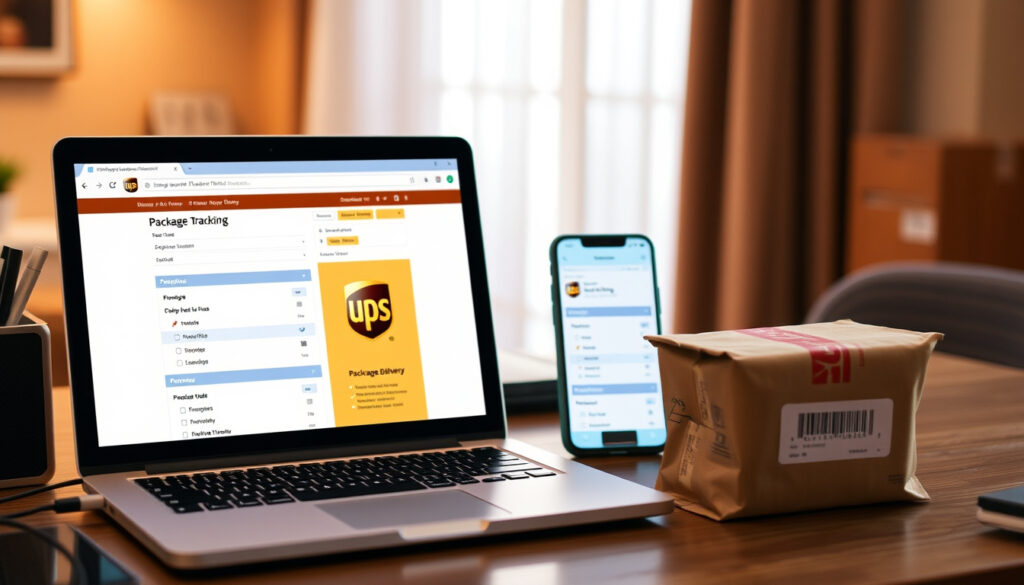
How to Track a UPS Package Using Website, App, or Phone
That package you’ve been refreshing the tracking page for — whether it’s a birthday gift or an important document — is somewhere in the UPS network. This guide walks you through every method to track a UPS package, from the 18-character 1Z code on your receipt to the app that buzzes your phone, with the real detail most guides skip.
Daily packages handled by UPS: 25 million · UPS tracking number length: 18 characters · Format prefix: 1Z · Active tracking numbers in system: over 200 million daily
Quick snapshot
- Go to UPS official tracking page and enter your number
- Download free app from iOS or Android, tap “Track” (AfterShip carrier guide)
- 1-800-742-5877 (US) — have tracking number ready (UPS support page)
- Free registration shows all your shipments in one dashboard (UPS My Choice official)
Four tracking number facts, one pattern: every method relies on the same 18-character code, but how you access that status differs.
| Label | Value |
|---|---|
| Tracking number length | 18 characters |
| Common prefix | 1Z |
| Daily packages tracked | Over 25 million |
| Supported channels | Web, iOS/Android app, phone |
| Max tracking numbers on UPS.com | Up to 25 at once |
| Max tracking numbers on 17TRACK | Up to 40 at once |
| UPS My Choice cost | Free registration |
| Supported tracking formats | 1Z, 12-digit, T-prefix, 9-digit |
How do I find out my UPS tracking number?
Where to find tracking number on receipt
The tracking number appears on the shipping receipt the sender gave you, the package label itself, and any confirmation email from the retailer or UPS. Standard UPS small-package tracking numbers are 18 characters starting with “1Z” (17TRACK carrier guide).
Look for a 12-digit numeric code (999999999999) on packages that use older UPS systems. Some specific shipment types use a 10-character code beginning with “T”.
If you only have a 9-digit number, it’s likely a UPS Mail Innovations or SurePost code — that tracks on the USPS side after the handoff, not on UPS.com directly.
Finding tracking number in email confirmation
Your email inbox is the fastest source. Retailers almost always include the UPS tracking number in the shipping confirmation email, often with a clickable “Track” button. If the email doesn’t show the full number, open the sender’s order status page — it’s usually there.
You can also use UPS My Choice to see all incoming shipments linked to your address, even if you never received the tracking number from the sender.
Using UPS My Choice to find your tracking number
Register for free at ups.com/mychoice. Once you verify your address, the dashboard automatically populates with any packages en route to that address, including tracking numbers you never manually entered.
This works well for gifts or shipments from sellers who don’t bother sending you the code.
Bottom line: The tracking number is the key to everything. If you lose it, UPS My Choice is the only way to recover it without contacting the sender. For gift recipients: register before the package arrives.
What does a UPS tracking number look like?
Breaking down the 1Z format
The most common UPS tracking number for small packages is 18 characters, starting with “1Z” followed by 16 alphanumeric characters. The format is case-insensitive — you can type uppercase or lowercase (ParcelsApp carrier page).
The characters after “1Z” encode information about the service type, the shipper, and the package sequence. UPS does not publish the exact decoding algorithm, but third-party tools like 17TRACK can parse them.
When you see “1Z999AA10123456784,” you know it’s a genuine UPS number, not a USPS or FedEx code. That helps you avoid typing into the wrong carrier’s site.
Examples of valid tracking numbers
- 1Z999AA10123456784 (standard 18-character 1Z)
- 999999999999 (12-digit numeric, older systems)
- T999999999 (10-character starting with T, specific service types)
- 999999999 (9-digit, used for certain small shipments)
Distinguishing UPS from USPS or FedEx numbers
UPS numbers always start with 1Z (for standard packages). FedEx numbers are 12 or 15 digits, often starting with a number. USPS tracking numbers are 20-22 digits or start with “9”. The prefix alone tells you which carrier’s site to use.
For UPS SurePost and Mail Innovations, the package gets handed to USPS for final delivery. In those cases you may have a USPS Package Identification Code (PIC) that tracks on usps.com — not on UPS.com. Check the label: if it says “UPS SurePost,” use the UPS number first, then the USPS PIC after handoff.
Bottom line: A 1Z prefix on an 18-character string means it’s UPS. Everything else (12 digits, 9 digits, T-prefix) is less common and may indicate a different UPS service tier. Always verify the label before you enter the number online.
How do I track where my parcel is?
Tracking on the UPS website
Go to ups.com/track, enter your tracking number in the text field, and click “Track.” The page shows the current status, last scan location, and an estimated delivery date. You can track up to 25 numbers at once by entering one per line.
- Open your browser and go to the UPS tracking page.
- Enter your tracking number in the text field.
- Click the “Track” button.
- Review the current status and estimated delivery window.
No account is required — anyone can track without logging in.
Using the UPS mobile app
Download the official UPS app from the iOS App Store or Google Play. Open it, tap “Track” from the bottom menu, and enter your tracking number. The app sends push notifications when status changes, so you don’t need to keep checking.
You can also manage multiple packages, view delivery history, and set delivery preferences.
Tracking without a tracking number using UPS My Choice
If you don’t have the number, UPS My Choice is your best bet. After registration, any package addressed to you and scanned by UPS will appear on your dashboard automatically. You can see the tracking number, status, and delivery window once the shipper has created the label.
For missed deliveries, the InfoNotice left on your door contains a 12-digit number that you can also use on ups.com to retrieve the full tracking details.
Bottom line: The website is the fastest no-setup method. The app adds convenience. UPS My Choice is the safety net when you’ve lost the number. Pick the one that fits your situation.
Can I call UPS to find out where my package is?
UPS phone support numbers by country
In the United States, call 1-800-742-5877. For international calls, UPS maintains a list of country-specific numbers on its contact page. In Ireland, for example, the number is 1-800-551-292.
When to call vs track online
Call when you need a reason for a delay that the website doesn’t explain, or when a package is marked delivered but you don’t have it. Online tracking is sufficient for routine status updates and for checking estimated delivery dates. Phone lines handle exceptions and escalations.
According to a YouTube tutorial by a shipping analyst, calling often gets you a more specific delivery window than the website provides.
Information needed when calling
Have your tracking number ready. If you don’t have it, provide the delivery address, your name, and the expected sender. The representative can look up the package using the address or reference number (if the shipper provided one). Without a tracking number, the process is slower but possible.
Bottom line: Calling is for exceptions, not everyday tracking. The website and app handle 95% of needs. Phone support is your escalation path when online status doesn’t match reality.
Can you track exactly where my UPS package is?
Real-time tracking vs status updates
UPS does not provide GPS-level real-time location like a ride-sharing app. Instead, it shows status updates based on barcode scans at sorting facilities, delivery trucks, and the final stop. You see events such as “Departed from Louisville, KY” and “Out for Delivery” with timestamps.
Understanding tracking statuses
- Order Processed: Ready for UPS — the shipper created the label but hasn’t handed the package to UPS.
- Pickup Scan — UPS has the package.
- In Transit — moving through the network.
- Out for Delivery — on a truck for final delivery.
- Delivered — left at the address.
These statuses are based on scan events. There is no live map of the truck’s location.
What to do if tracking says delivered but package not received
First, check with neighbors and look around your property. UPS often leaves packages in side doors, with building managers, or with a leasing office. If you still can’t find it, check the InfoNotice number on the driver’s door tag — you can use that on ups.com to see details. Then contact UPS using the “Where Is My Package?” flow on the UPS support site to initiate a trace.
If that fails, the sender (not you) must file a claim with UPS, as the shipping contract is between the sender and UPS.
Bottom line: You can’t watch the truck drive around town, but you can see exactly when it departed and when it’s out for delivery. If it says delivered and you don’t have it, act fast using the InfoNotice and the official trace process.
Tracking precision is good enough for most shipments — but if you need to meet the driver or intercept a signature, the lack of GPS means you have to rely on the estimated 4-hour delivery window. For high-value items, consider UPS Delivery Manager for signature required.
“Tracking your parcel will show you the most up-to-date information on your delivery’s whereabouts.”
— UPS official tracking support page
“With UPS My Choice, you can see all incoming shipments in one dashboard, even if you never got the tracking number from the sender.”
— UPS My Choice product page
For the sender who shipped it, the choice is clear: include the tracking number in the confirmation email. For the recipient who misplaced it, UPS My Choice is the only recovery method short of calling. And for anyone stuck on a “Delivered” status that doesn’t match reality: the InfoNotice and the official trace are your two tools. Ignoring the problem won’t make the package appear — act within 24 hours.
Frequently asked questions
How long does UPS tracking take to update?
Most scans appear within minutes of the event. However, during peak periods or for rural deliveries, updates may be delayed by several hours. If tracking hasn’t changed in 24 hours, contact UPS.
Can I track a UPS package without a tracking number?
Yes — use UPS My Choice with your address, or call customer service with your name and delivery address. The service can locate packages by address.
Why is my UPS tracking not updating?
Possible reasons: the package hasn’t been scanned yet, it’s moving through a low-scan zone, or the barcode is damaged. Wait 24 hours and call if no change.
How do I track a UPS package by reference number?
On ups.com, use the “Track by Reference Number” option on the tracking page. Enter the reference number provided by the shipper (often an order number). This works only if the shipper added the reference when creating the label.
What does ‘out for delivery’ mean?
It means the package is on a UPS delivery vehicle and scheduled for delivery that day. Delivery typically occurs by end of day, but times vary by route.
Can I change my delivery address after tracking?
Yes — through UPS My Choice or by calling customer service. Fees may apply depending on the service level. Changes are only possible before the driver attempts delivery.
Is UPS tracking accurate for delivery time?
The estimated delivery date is usually accurate within a day. The 4-hour delivery window shown for some shipments is a prediction based on historical route data, not real-time location.
More related posts
 2025 Honda HR-V: Worth Buying? Price, Problems & vs RAV4
 Eufy Doorbell Camera – Features, Setup and Reviews Guide
 Free Text to Speech: 5 Best Tools Compared & Tested
 Evil Eye Necklace – Meaning, History and Protection
 Katy Perry Space Flight: Cost, Duration & Reactions
 Stamp Duty Calculator: Ireland & UK Rates, Formula & Tips
 Korean Fried Chicken – Double-Fry for Shatteringly Crisp Crust
 Cast of Trolls 3 – Full Voice Cast and Character Roles
